
10 Robotic Lawn Mower Mapping Tips (Avoid These Costly Mistakes)

If your robotic lawn mower is leaving uncut strips, getting stuck in the same corner, wearing ruts into the grass, or running out of battery before it finishes — the machine usually isn't the problem. The map is.
After installing and servicing a lot of these mowers, we've found that roughly 80% of the headaches people run into trace back to how the lawn was mapped. The other 20% is expectations. Get the map right and a robotic mower genuinely fades into the background — it just quietly keeps your lawn cut. Get it wrong and you'll fight it every week.
Here are the ten mapping tips that make the difference, including a few mistakes almost nobody sees coming.
1. Know your real mowable square footage before you buy
The most expensive mistake happens before mapping even starts. People eyeball their lawn size, buy a mower rated for less than they actually have, and then wonder why it can't keep up. A unit built for a half-acre will run and charge constantly on three-quarters of an acre and still fall behind.
But there's a worse version of this problem that catches buyers off guard: most manufacturers cap how much square footage you're allowed to map. If you buy a machine that's too small for your property, you can hit that limit partway through setup and simply be unable to map the rest of your lawn — there's no override. That back section just doesn't get mowed.
That's why knowing your accurate mowable square footage first matters so much. It's not a guess you want to get wrong, and it's exactly what a quick measurement (or a free Zippy Lawnz mapping call) is for.
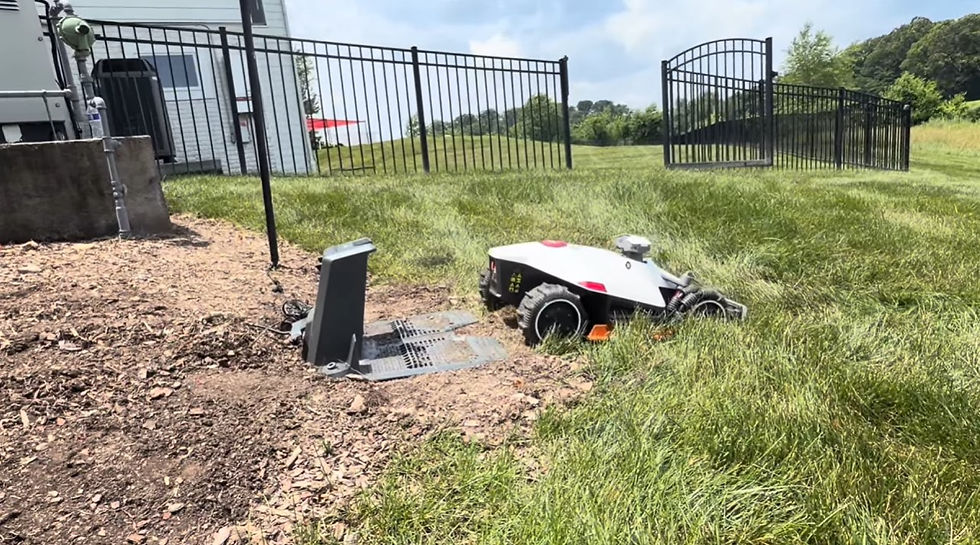
2. Put the charging dock in the right place
Your charging station isn't just "wherever there's an outlet" — it's the hub the mower returns to every time the battery runs low. Tuck it in a far corner and the mower burns a big chunk of every charge cycle just driving back and forth instead of cutting.
Aim for a central, open spot with clear access to the main areas of the lawn. The shorter and more direct those recharge trips are, the more of the mower's runtime goes toward actual mowing.

3. Keep your travel channels straight
Most lawns aren't one open rectangle — there's a front, a back, side yards, areas past a walkway. The mower needs channels (narrow passages) to travel between those zones, and how you draw them matters more than people expect.
Two rules. First, keep channels as straight as you can. The mower drives the exact same line through a channel over and over, so a zigzag channel gets ground into the lawn as a rut. Straight channels wear evenly. Second, route channels along the most direct path back to the charger. A channel that wanders adds time to every recharge trip — time the mower could spend cutting.
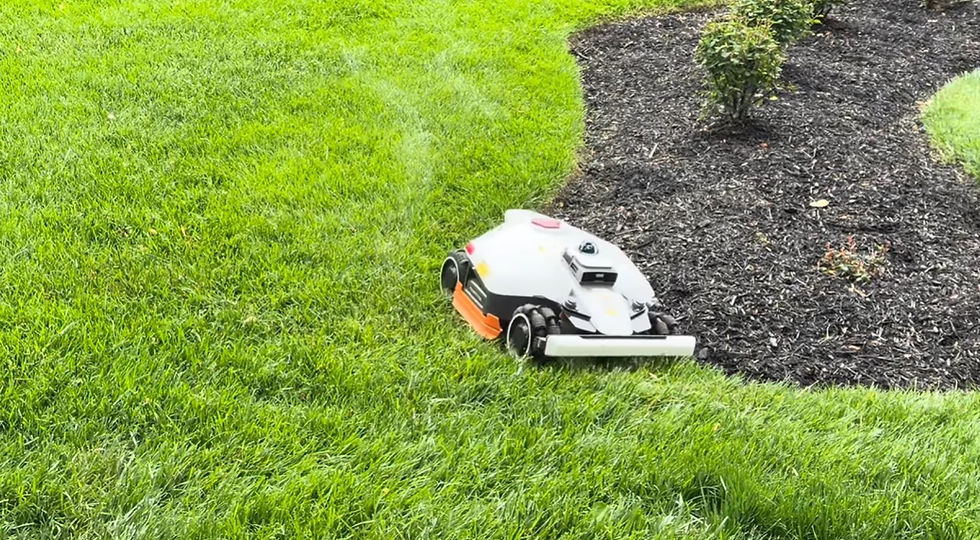
4. Map clean boundary lines — but don't expect perfection on day one
When you record your perimeter, slow down and walk clean, consistent lines. Rushed or jagged boundaries are where you get scalped edges, missed strips along fences, and the mower drifting into flower beds. Keep a steady distance from the edge and give yourself a buffer around anything you don't want clipped.
Here's the part that takes the pressure off: your first boundary is a starting point, not a final answer. Once the mower is actually running, you'll see exactly where it cuts too close or leaves a gap, and you simply adjust. Plan on tweaking your lines a couple of times to dial it in. That's normal — and far easier than trying to map a flawless perimeter blind.

5. No-go zones vs. boundaries — the square-footage trick
No-go zones tell the mower "never go here" — garden beds, ponds, the trampoline, the soft muddy spot. Used well, they protect the things you care about. The mistake is using too few (and waking up to a chewed-up bed) or so many that the mower can't navigate the obstacle course you've built.
But here's the pro move most owners never hear: a no-go zone doesn't always save your square footage — sometimes routing your boundary around the obstacle does. Many mowers calculate your mapping limit from total area, and a no-go zone placed inside your boundary often still counts against that limit. So if you have a large pool, pond, or bed, drawing your boundary around it — so it sits outside your mowable area entirely — can keep you under your square-footage cap. On a big property bumping up against the limit, that single decision can be what lets you map the whole lawn.

6. Know when to use a virtual fence
A virtual fence is a software boundary — no wire, no physical edge. It's ideal for separating your lawn from a neighbor's where there's no fence line, or for splitting your yard into sections. Used well, it keeps the mower exactly where it belongs without trenching in a single wire; used carelessly, it leaves gaps or overlaps that show up as uncut strips. Knowing where to place one is most of the skill.

7. Build a realistic 7-day schedule for bigger lawns
Asking a mower to do "everything, every day" on a large property is a recipe for an exhausted machine and a half-cut yard. Divide the lawn into logical zones and schedule each based on its size and how fast it grows — the shady back corner doesn't need the same frequency as the sunny front.
The practical method is to think in 7-day cycles. When you map a zone, the app gives you a time estimate for mowing it. Lay those estimates across your week so every zone is covered with time to spare, and build in overlap so a couple of rained-out days don't blow up your rotation. The larger your lawn, the more a thought-out schedule matters — it's where most DIY setups fall apart.

8. Respect your signal and antenna placement
Most robotic mowers rely on RTK or a similar positioning system to know precisely where they are. If the antenna or reference station is blocked by a roofline, a building, or dense tree canopy, mapping accuracy drops — and a mower that doesn't know where it is can't cut where it should. Give your antenna a clear view of the sky and plan your map around any known weak spots rather than fighting them.
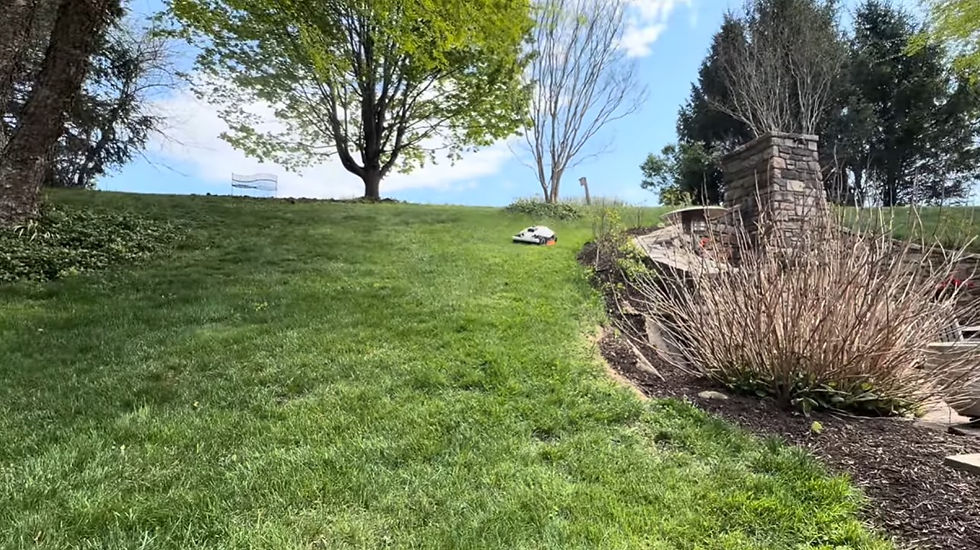
9. Map for slopes, obstacles, and wet spots
Your lawn isn't flat and empty. Slopes, low spots that hold water, tree roots, and tight corners around the AC unit all affect how the mower should move. Map with those realities in mind: route around the boggy area, give slopes a sensible approach, and keep tricky obstacles inside buffered boundaries or no-go zones. A map that ignores your terrain is a map that gets the mower stuck.
10. Match the machine to the lawn
Most people do this backwards — they pick a mower they saw in a review, then try to force their lawn to fit it. Flip it. A steep, complex, multi-zone yard needs a different machine than a flat open half-acre. Slope rating, cutting width, navigation type, and battery capacity should all be chosen around your property. Get this right and nearly every other item on this list gets easier.
Get it mapped right the first time
Every one of these tips takes some know-how to execute, and the mistakes are expensive. That's exactly why Zippy Lawnz offers a free mapping call. We pull up your address in our software and give you an accurate mowable square footage so you buy the right machine and never hit a mapping limit you didn't see coming. We help you place the dock, route your channels, decide where a boundary beats a no-go zone, build a 7-day schedule with enough overlap to ride out rainy weeks, and pick the machine that actually fits your lawn.
It's the difference between a robotic mower that frustrates you and one you forget you even own — because it just works.
Frequently asked questions
How big a lawn can a robotic mower map? It depends on the model — each one has a maximum mapping area set by the manufacturer, and exceeding it means part of your lawn can't be mapped at all. That's why it's important to confirm your mowable square footage before buying, so the machine's capacity comfortably covers your property.
Do no-go zones count against the mapping limit? On many mowers, yes — a no-go zone placed inside your boundary still counts toward your total mappable area. If you're near your limit, routing your boundary around a large obstacle (like a pool) instead of using a no-go zone can keep you under the cap.
Can I change my robotic mower's map after I set it up? Yes, and you should expect to. Your first boundary is a starting point. Once you see how the machine runs, you'll fine-tune the lines a couple of times to get edges and coverage right.
Where should I put the charging station? In a central, open location with direct access to the main lawn areas. The shorter the trip back to the dock, the more time the mower spends actually mowing instead of commuting.
Why is my robotic mower leaving ruts in the grass? Usually because it travels the same non-straight path repeatedly — often through a zigzagging channel between zones. Keeping travel channels straight lets the wear spread out evenly and prevents ruts.


Comments